Building Jotless #1: notes you summon, not notes you manage
What Jotless is, the three decisions that shaped v0.1, and why we built it one milestone at a time.
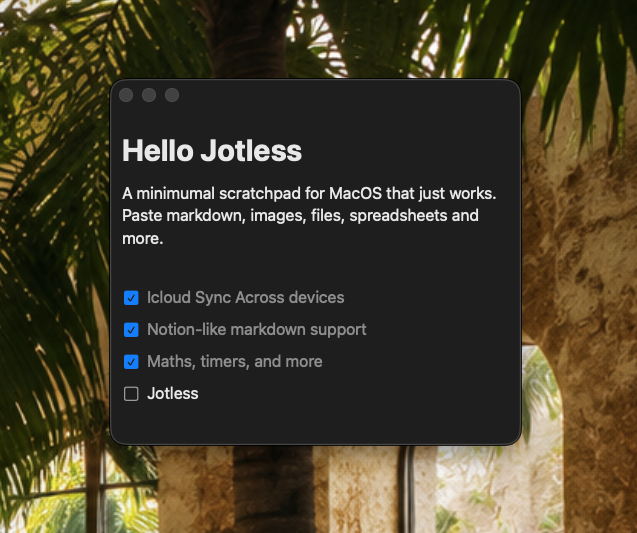
Jotless is a small macOS app for the thought you need to write down right now. You press a keystroke, a panel floats up over whatever you were doing, you type, and you dismiss it. There is no file to name, no save button, no folder to file it under. It is a scratchpad, and the whole design follows from taking that word literally.
This is the first of a few posts about building it. They are written for people who like to see the moving parts, so they lean technical, but the goal each time is the same: take something that sounds simple, name what actually makes it hard, and leave you knowing more than you did a few minutes ago.
A scratchpad is not a notes app
It helps to separate two things that look alike. A notes app is a library: documents you keep, organise, search, and come back to. A scratchpad is a surface: you reach for it mid-task, offload something, and get back to what you were doing. The library wants structure. The scratchpad wants to be instant and to never lose what you put on it.
Most apps try to be both, and they end up asking the scratchpad question at the exact moment you have no patience for it: where should this go? Jotless picks a side. It is a scratchpad that happens to remember everything. That one decision is what every other decision in v0.1 is downstream of.
Three decisions that shaped v0.1
Build with SwiftPM, not Xcode. Jotless is a Swift Package Manager executable with a small build-app.sh that wraps it into a double-clickable .app. No .xcodeproj, no project file to merge-conflict over. You can read the whole build in one sitting, and the source tree is just folders of Swift: Editor, Persistence, App, UI, Settings. The cost is that you give up some Xcode conveniences; the payoff is that the project has no hidden state.
One local SQLite file. Every note lives as a row in a single SQLite database under Application Support, each row holding the full-fidelity content of the note. No iCloud, no per-note files on disk, no sync server. A scratchpad that loses a thought is worse than no scratchpad at all, so "your notes are one boring file on your own machine" is a feature, not a placeholder. The schema is designed so sync could be added later without a rewrite, but v0.1 deliberately does not ship it.
Don't write the editor twice. The hardest part of an app like this is the editor, the thing that turns your keystrokes into headings, lists, todos, quotes, and code blocks with live markdown shortcuts and a slash menu. We had already built that as a separate proof-of-concept, so Jotless ports it in more or less verbatim and treats it as a settled dependency. That let the early work focus entirely on the parts that were actually new: persistence, the floating panel, and the hotkey.
Built one milestone at a time
v0.1 came together as seven milestones, each landing as a single commit, in a deliberate order. The order was not cosmetic. Persistence came before multi-note, because the rules for not losing data are easier to get right with one note than with several. The floating panel came before the global hotkey, because there is no point summoning a window that does not yet behave.
Each milestone went through an adversarial review pass, one agent trying to break the change and another trying to refute the breakage, before it landed. That caught real bugs, and a couple of the most interesting ones are the subject of the next posts.
Changelog
- M1: scaffold the app, port the block editor from the proof-of-concept.
- M2: SQLite persistence and debounced autosave for a single note (plus a hardening pass on the autosave dedupe).
- M3: multiple notes with a tab strip and switcher (hardening serialized switches and fixed focus and read amplification).
- M4: the floating panel and visibility modes.
- M5: a global toggle hotkey and customizable app-scoped shortcuts.
- M6: a Settings window.
- M7: polish and hardening from review findings.
Where it stands
v0.1 is complete and stable. The panel floats, notes create and switch instantly, edits autosave, and the Settings window drives four visibility modes and a handful of rebindable shortcuts. From here the work is about polish and reach: themes and paper styles, a timer block, inline arithmetic, richer export, and a properly notarized build. The spine is in place.